The same details get entered twice.
An inquiry starts in email, moves to a spreadsheet, and is copied into another tool.
FOUNDER-LED BUSINESS SOFTWARE ENGINEERING
Custom machine builders and industrial integrators can lose estimating time chasing drawings, specifications, and project details missing from RFQs. Soultware builds focused internal tools, RFQ systems, and customer portals around the process you actually run, after checking whether existing software is enough.
No finished specification required.
SOULTWARE LLC is registered in New Mexico, USA. Remote-first delivery with direct founder involvement.
Does this sound familiar?
These are common signs that a process has become harder to manage than it needs to be. They do not automatically mean you need custom software.
An inquiry starts in email, moves to a spreadsheet, and is copied into another tool.
To find the owner or next step, someone has to ask around or search an old thread.
Your team follows up for drawings, specifications, approvals, or details that could have been collected earlier.
Staff answer routine status questions because there is no suitable self-service view.
Build only what earns its place
Start with the process and the tools already in use. Compare the cost and operating effort of a change with the work or risk it would address.
How to compare existing tools and custom software01
If the spreadsheet or product is reliable and the work is manageable, leave it in place.
02
Use existing settings when they can support the required roles, approvals, and records.
03
A small integration may be enough when the problem is moving information between tools.
04
Consider custom software when the other options cannot reliably support the workflow.
A concrete example: industrial RFQs
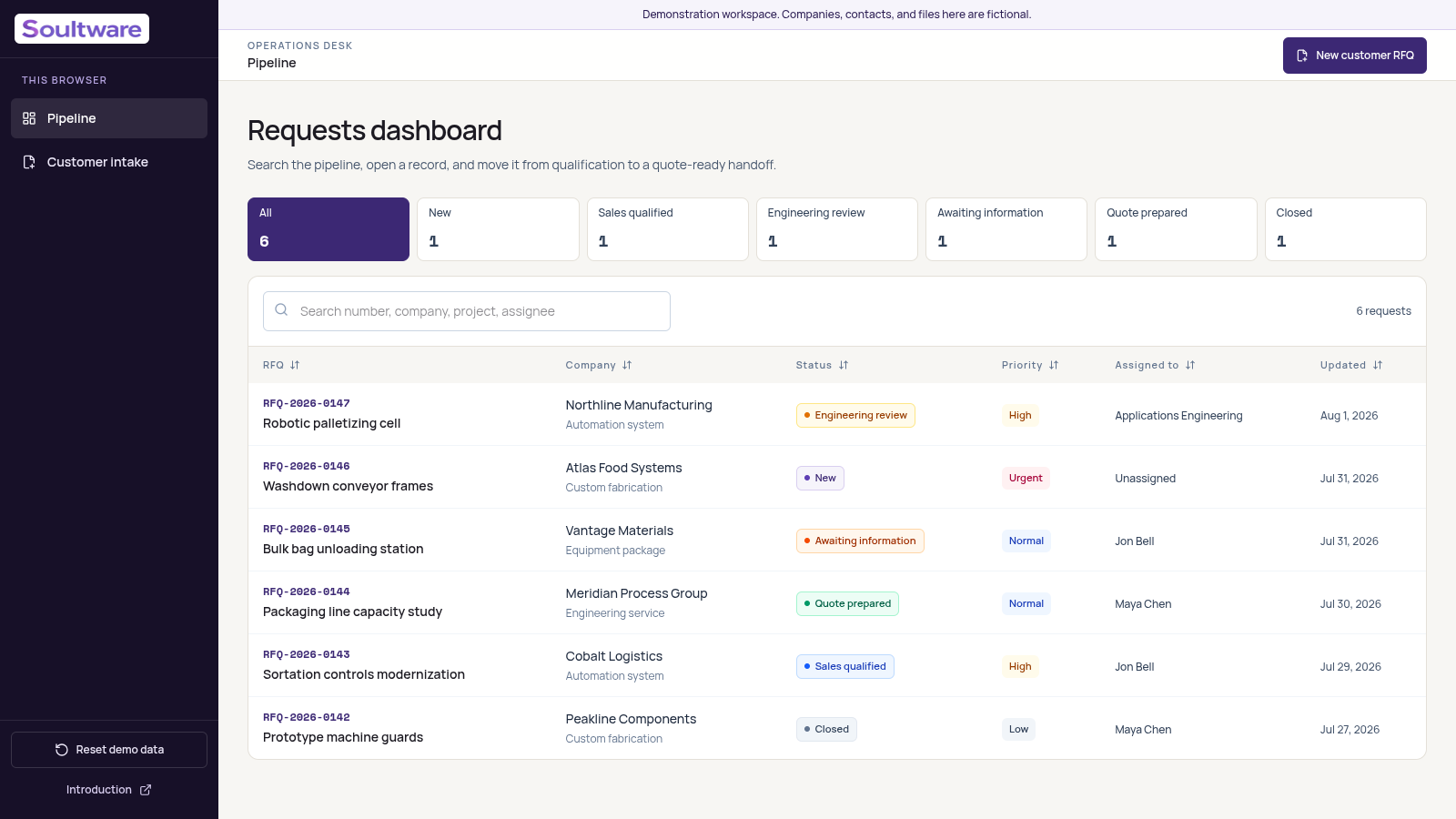
Custom machine builders and industrial integrators may need drawings, specifications, target dates, and commercial context before estimating can begin. The working demo shows guided intake connected to internal qualification, ownership, and status.
Work
Review working implementations and technical decisions. The portfolio includes a fictional-data product demo, an open-source product, and an internal product in beta. These are not presented as paid client results.
A working demo of guided industrial RFQ intake, a searchable qualification pipeline, team ownership, and quote-ready handoff. Fictional data; not client work.
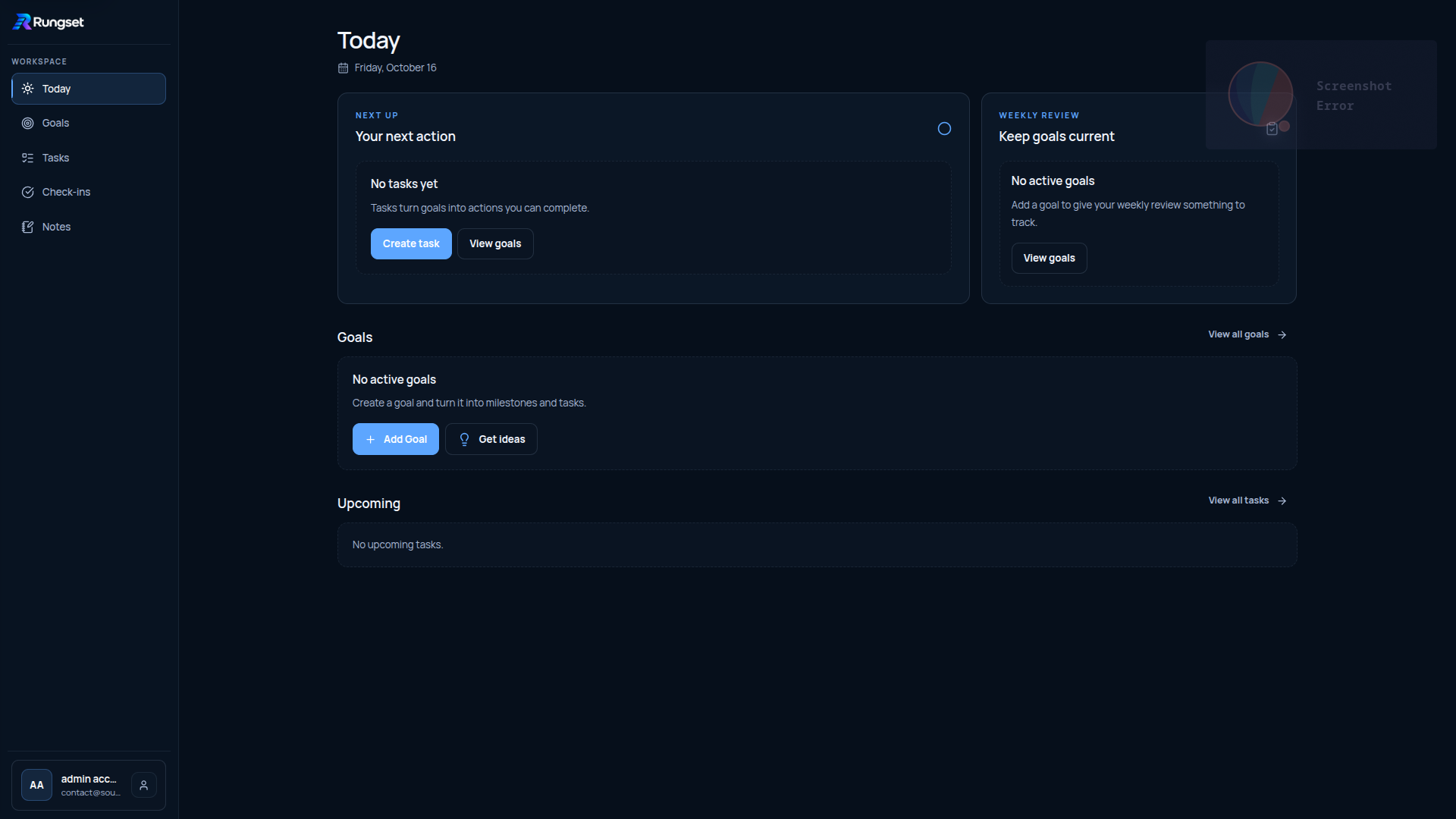
An open-source goal-tracking application with tasks, notes, and visual progress tools.
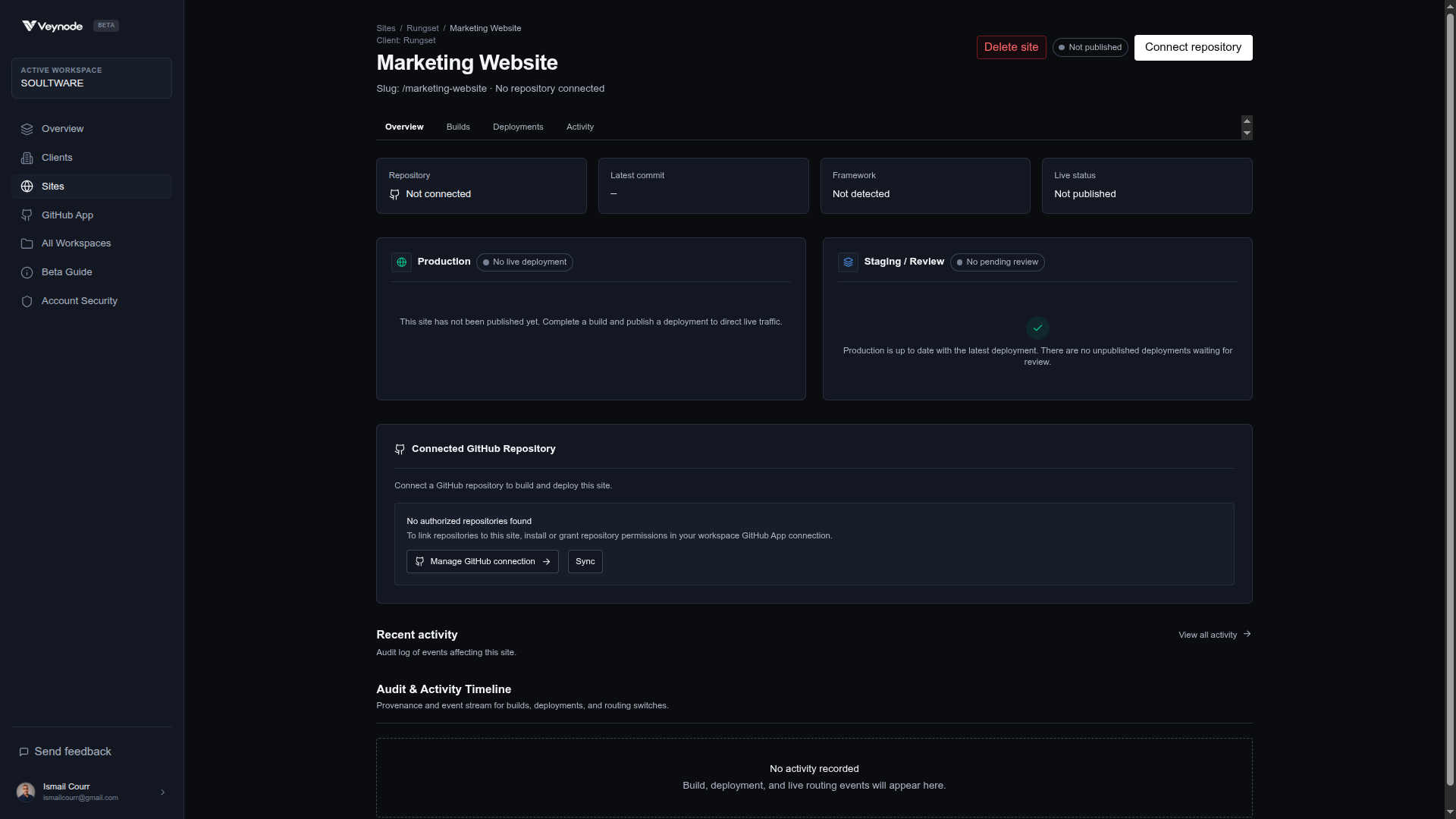
A Cloudflare-native deployment platform for GitHub projects, with isolated builds, reviewable previews, and explicit publishing. Internal product in private beta.
Founder and delivery lead
Ismail Courr
Founder & Full-stack Software Developer
Soultware is founder-led. The person helping define the workflow stays technically involved in the system being built, keeping decisions and delivery ownership close together.
Delivery approach
Map users, current tools, constraints, integrations, and the outcome the system needs to support.
Turn the workflow into a clear scope, architecture, delivery plan, and set of decisions.
Review working software during delivery instead of waiting until the end to discover mismatches.
Deploy, document, hand over, support adoption, and continue improving where agreed.
Core solutions
The engagement starts with the workflow, its users, and its constraints. Technology is chosen after the problem is understood.
Focused systems that replace repetitive spreadsheet, email, approval, and handoff work.
Internal Tools & Workflow AutomationCustomer-facing workflows for requests, documents, status visibility, and account self-service.
Customer PortalsApplications designed around specific processes, integrations, roles, and operational requirements.
Custom Business SoftwareA distinct secondary service
When the problem is an unclear offer or inquiry path, start with a focused website project. A website does not require commissioning an operational application.
Pricing & support
A website, an integration, and a multi-user workflow have different scopes. A proposal sets out the work before development is authorized.
Read about pricing and supportCost and timing depend on users, workflows, integrations, data, security needs, content readiness, and review cycles. Estimates include their assumptions, dependencies, milestones, and payment stages.
Hosting, source access, monitoring, backups, maintenance, incident handling, and response times are agreed for each project. No 24/7 coverage is implied.
Explain what happens now and who handles it. We can identify a sensible next step, including when the current tools are enough. No finished specification required. Please do not send passwords, customer records, or sensitive data.